For all employees
An Easier Way To Earn More!
BankerBounty gives you a simple way to send and track the opportunities you send to your bank! Here is what you can expect:
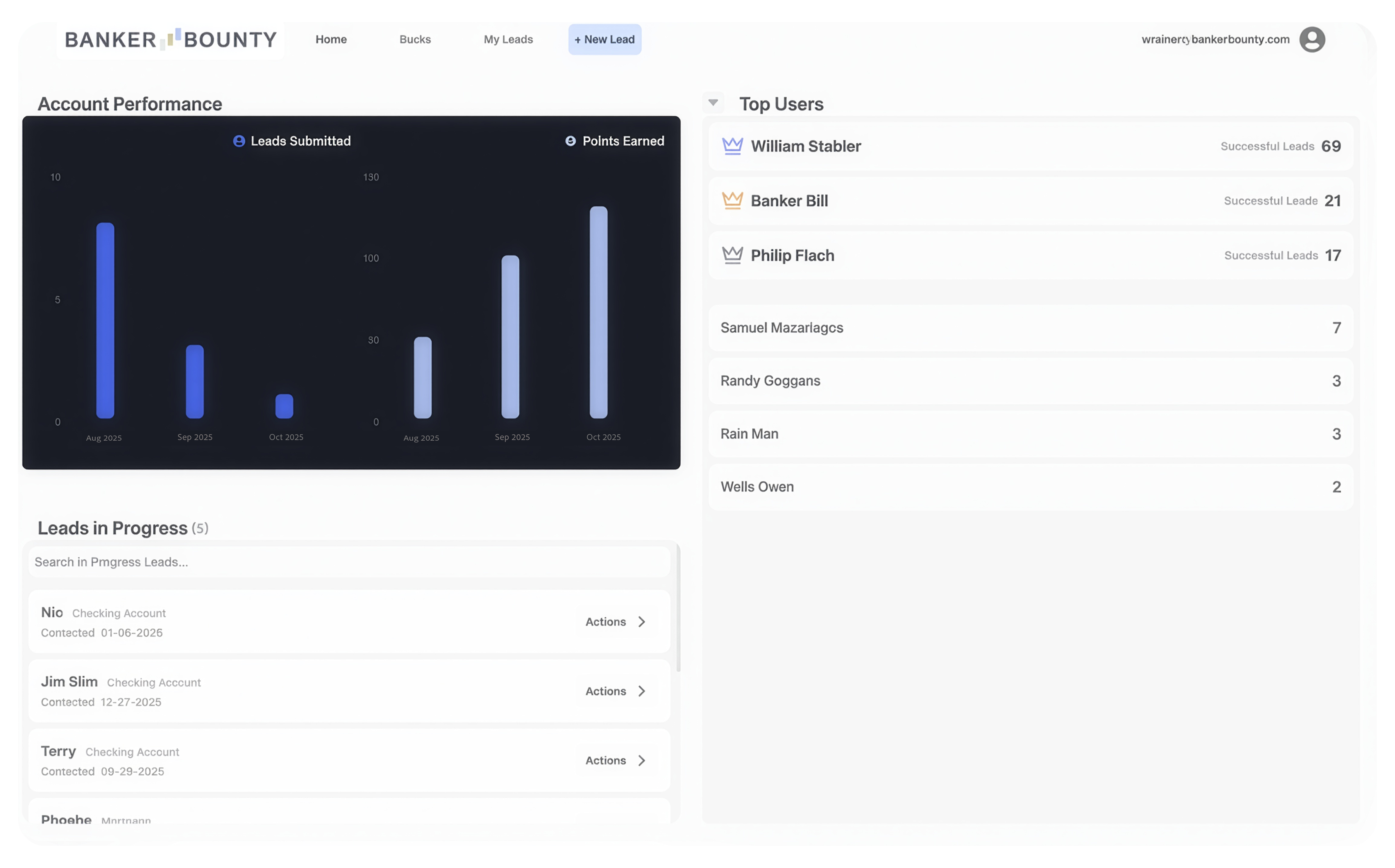
- Sending Opportunities. It's never been easier for non-sales employees to capitalize on opportunities they come accross outside the bank!
- Full Transparency. No more sending your connections and opportunities into the abiss, easily follow along as the producer works your lead!
- BankerBounty Wallet. See exactly what rewards are coming your way for the great opportunties and accounts you've brought into the bank!
Getting Started
The Setup
Before you begin, we'll need to make sure it's really you. Follow the steps to gain access to your BankerBounty account!
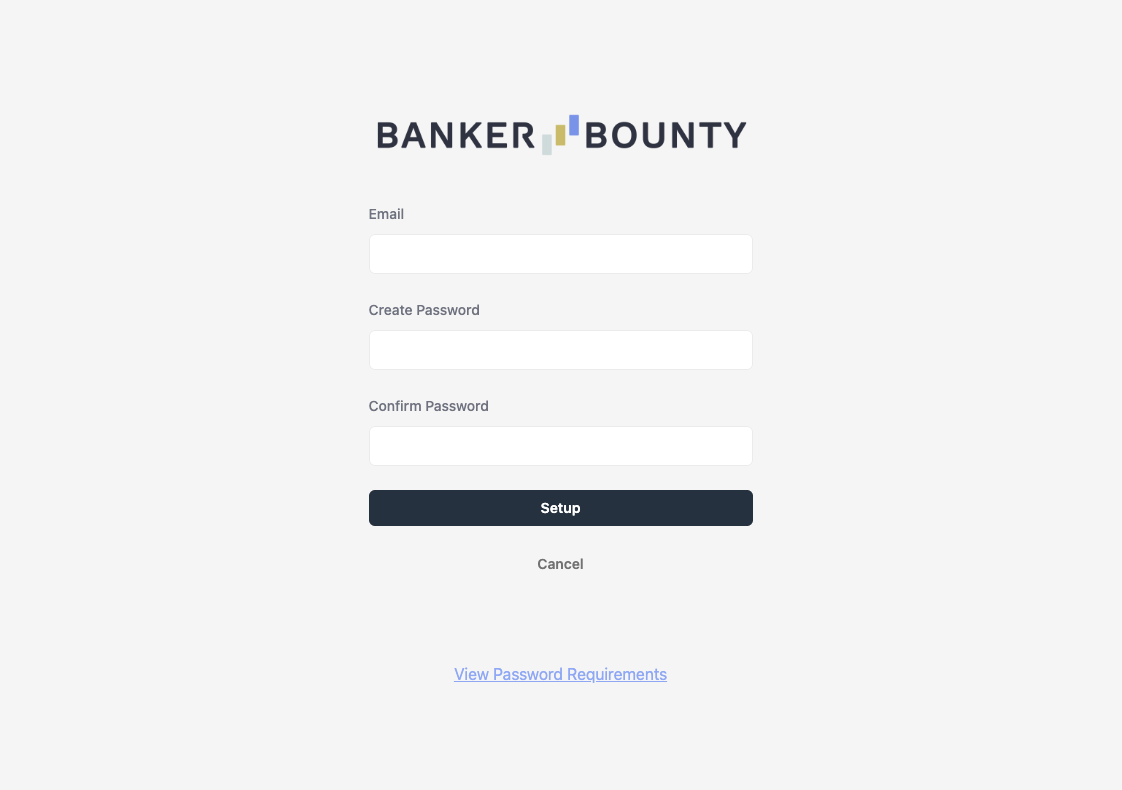
- Sign up form Only for first time users, Access the signup form by hitting the Sign Up button found inside the login screen.
- Enter your email You will want to use the email your admin has assigned to you so we connect you to your account.
- Set your password Follow the provided guidelines to ensure your password is strong!
Sending leads made simple
Capturing opportunities
Sending a lead does not need to be complicated!
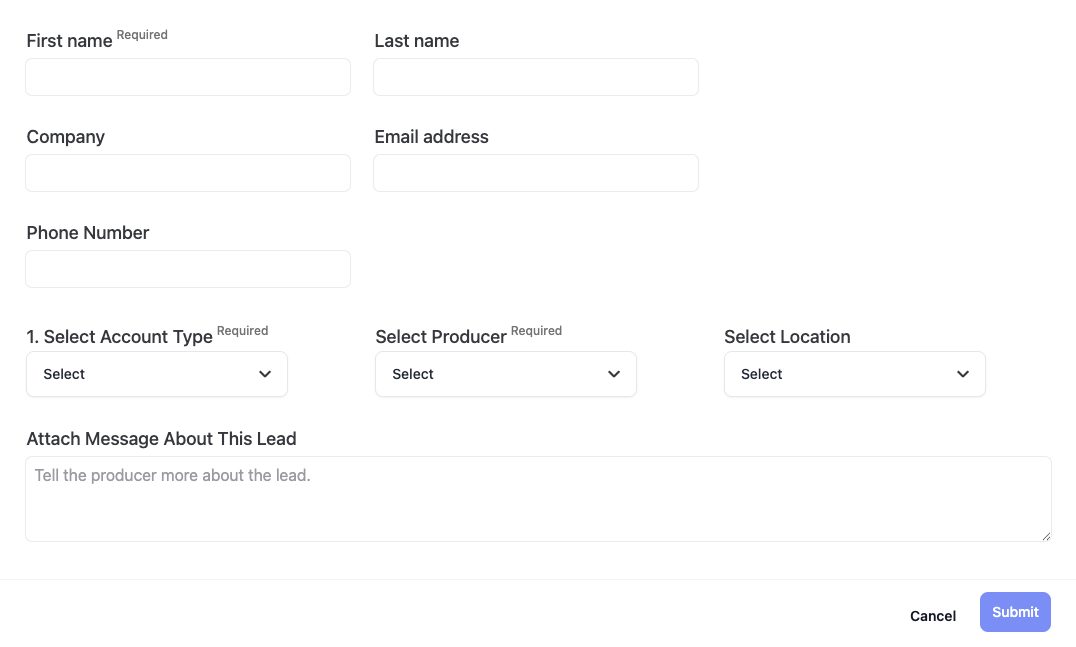
To Send a lead from the app or webapp you'll want to click on the New Lead Tab. Here is a break down of the steps you'll take to send in an opportunity to your bank!
- Contact Information. The producer will first need the person's or organization's name and the best way to contact them. Remember, providing more information increases the chances of the lead being successful and earning rewards.
- Account Type. Select the account type the lead is interested in. This lets our system provide suitable producers for the opportunity, increasing the chances of success.
- The Producer. After selecting the account type, choose a producer to handle the lead. Use the 'Auto Select Producer' button to let the system pick randomly for you.
- Additional Information. As mentioned, providing more details about the opportunity to the producer increases their chances of opening the account and earning you a bonus. The goal is to give them warm leads, so share as much information as possible to help.
Once you've successfully filled out the information for the lead you'll hit send. Follow along with the leads progress through the Leads Tab
Stay in the loop
Ensure Success
Here to help you maximize your lead's chance of being successful!
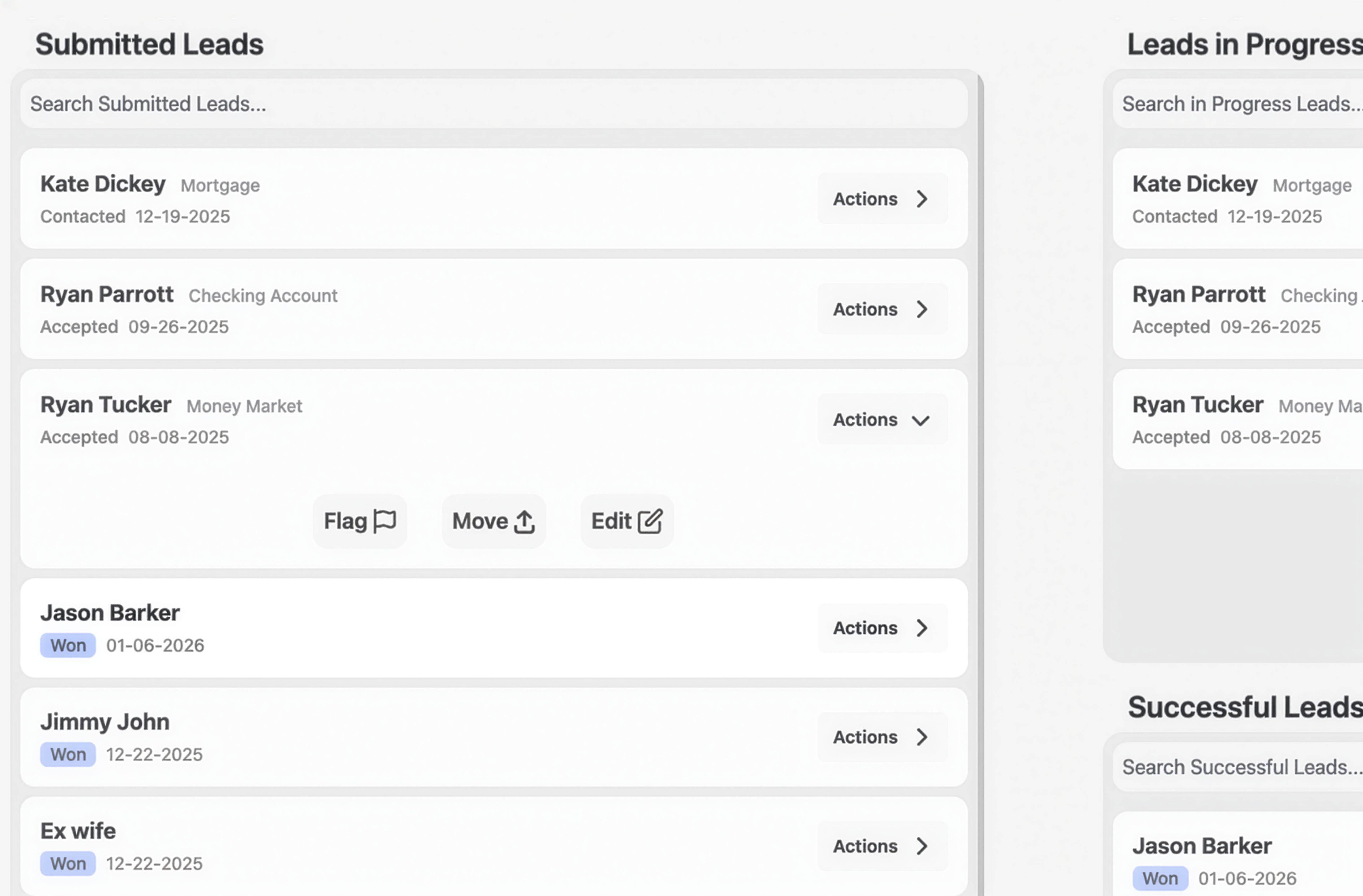
To view a lead, go to the My Leads page. Before we dive into the details, here are the key actions you can take as the person who sent the lead:
- Flag the lead. Things happen. If you encounter any issues with a lead you've sent, use the Flag button to notify the admin. Be sure to describe the exact issue so the admin can assist you quickly.
- Remind the producer. Your producers are working hard, so they might miss the lead coming in. Tap the Remind button to ensure the producer hasn't forgotten about it!
View your leads progress
See the details
Our program makes it super easy to see exactly what's happening with your lead at every step—full transparency.
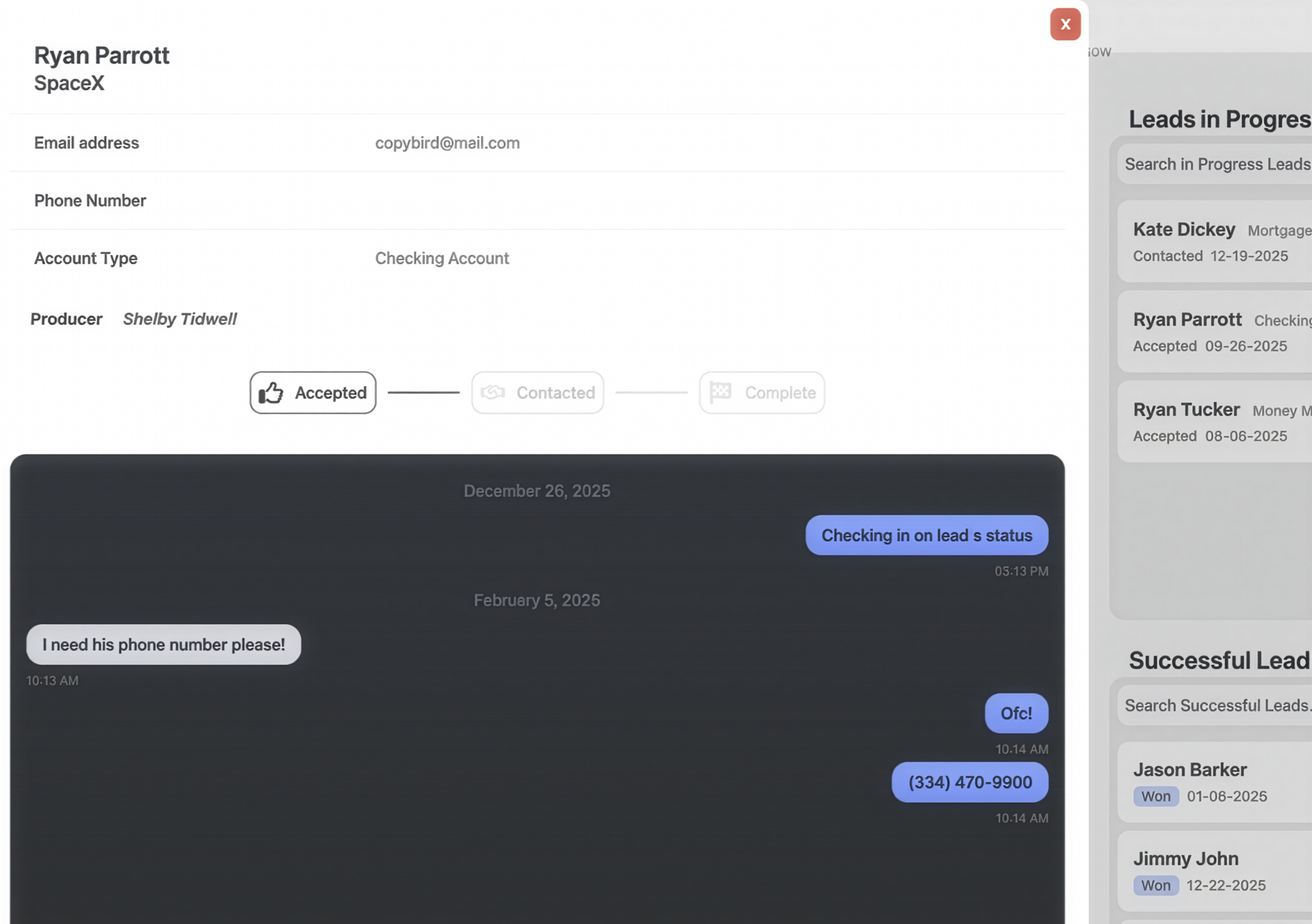
If you're looking for more information about the lead or need to send a message to the producer simply tap on the lead card. Here is what you'll see:
- Lead Status. See where the producer is at with your lead: Accepted, Contacted, etc... Reminder: use the Remind button on the lead card to remind the producer... Still no update??!! hit the Flag button to get the admins attention. You deserve to know what's going on with the lead you sent!
- Lead Information. Allows you to see what information you sent to the producer along with any changes or edits the producer may have made to the contact information.
- Messages. No more sending formal emails to get iformation about the lead to and from the producer. Tap on the + add message Button at the bottom of the message box to write the producer a quick message
Now that we've covered we've covered exactly what it looks like for you to send and view a lead Lets move on to viewing your rewards!
See your earning
Reward Breakdown
Nothing is more motivating than recieving rewards for your efforts! Our system provides you a way to view what you've made during your time on BankerBounty along with what you can expect on the next payout!
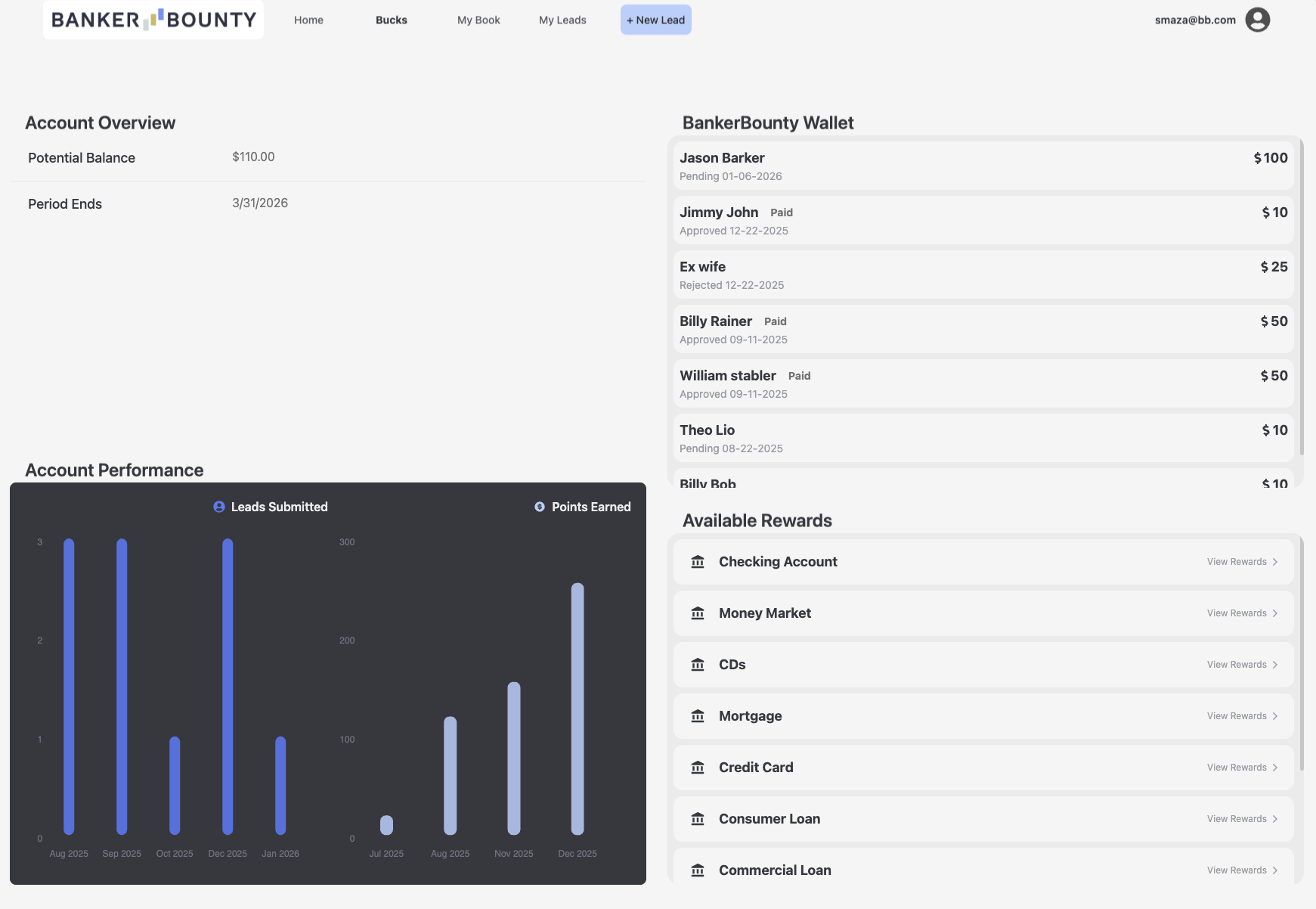
To view your earnings and to see a breakdown of your rewards you'll want to navigate to the Bucks Screen. The following is what you'll be able to see in the webapp.
- Earnings overview. At the top of the page, you'll be able to see totals related to
Total Earned: Paid referrals + Unpaid referrals.
Approved Balance: Referrals that are approved but not paid.
Potential Balance: All unpaid referrals (i.e. Approved + Pending). - Submitted Lead Chart. See a month to month break down of the number of leads you've submitted.
- BankerBounty Wallet If you're wanting to see which leads earned you points along with the successful leads approval status, look no further than the BankerBounty Wallet.
If you want to see more information about the approval staus of the lead just tap on the lead's card found inside your wallet!