How to Open an Account
Opening a Lead
NOTE, This Section is only relevant for Producers
If you have successfully opened an account for an assigned lead, tap on the lead’s card and hit the “Open” button in the status bar.
Note: The “Open” button will only appear after the producer has updated the lead to “Contacted.”
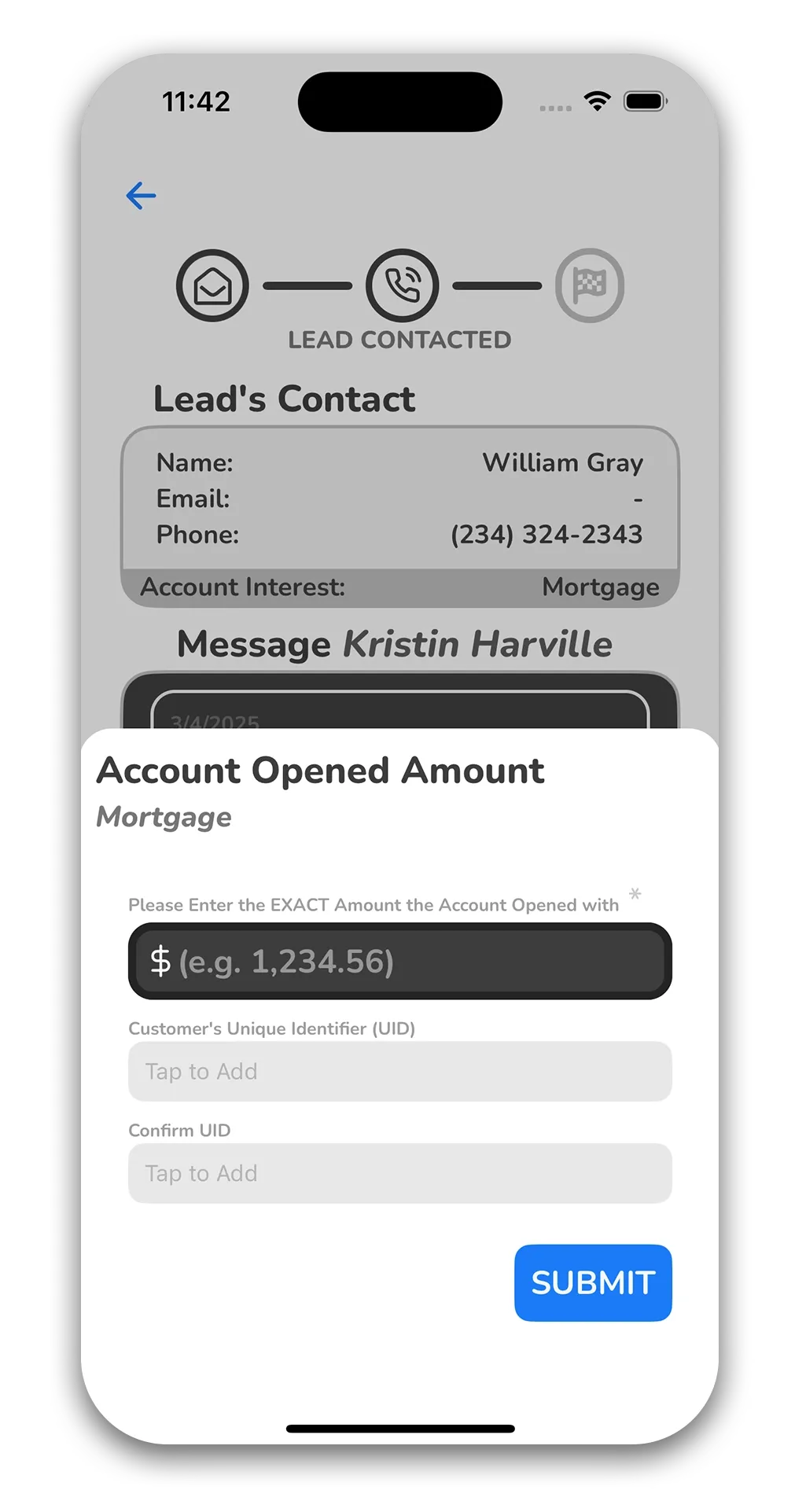
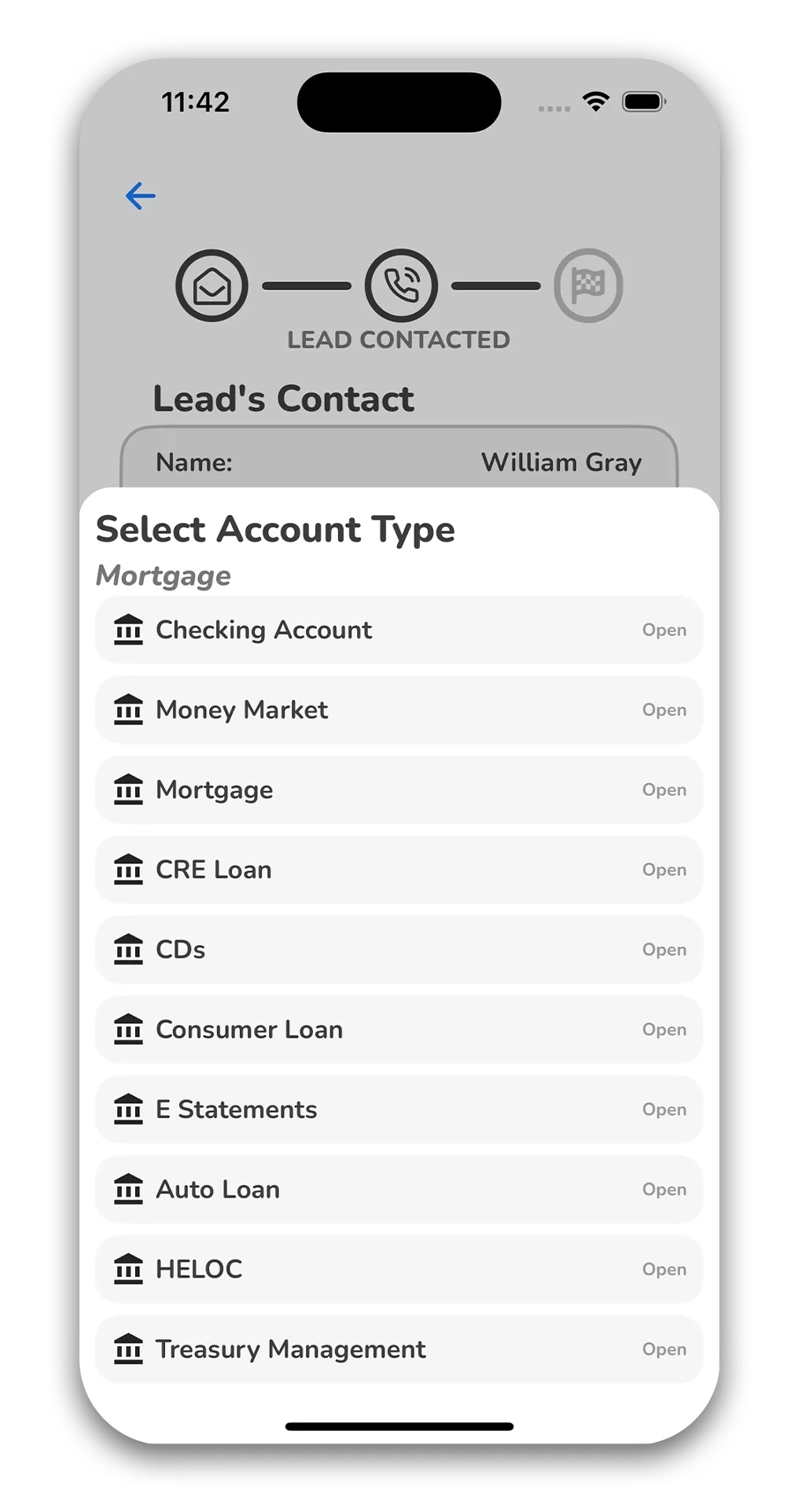
After tapping the “Open” button, select the Account Type that was opened for the lead at the bank. Then, enter the exact initial account amount and hit submit.
Chose the Opened Account Type
Input the Accounts Information