
Leads
View Leads
Click this navigation item to see all sent leads in chronological order. Inside the page, you will be able to filter by the status of the lead and the account type the lead is submitted under.
You can click on the Lead name to view details.
You can click on the Leadgen name to view the leadgen user.
You can click on the Producer name to view the producer user.
Reassign Leads
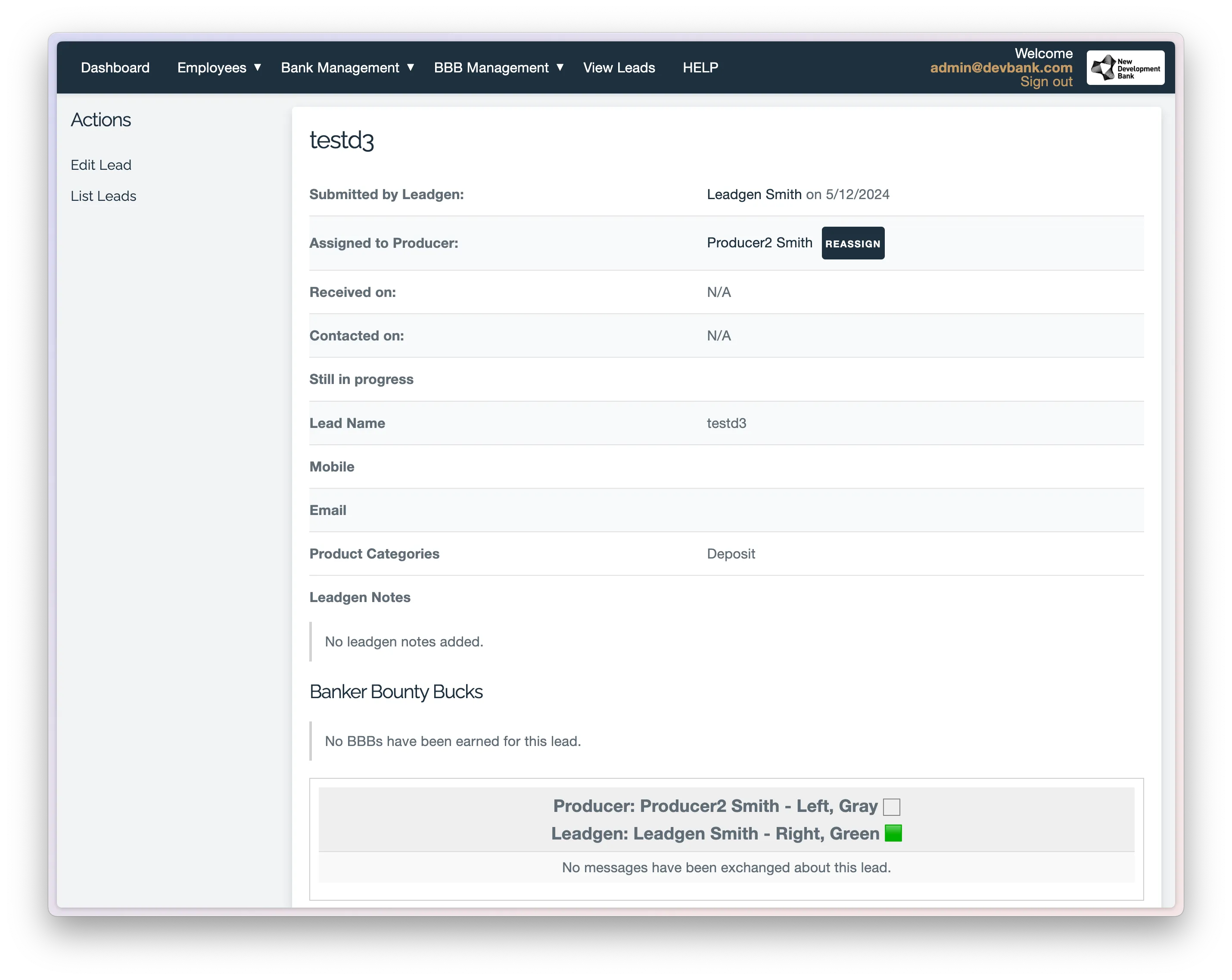
If you need to reassign a lead from one producer to another, please follow these steps:
- Click the View Leads navigation item.
- Locate the Lead you wish to reassign and click on its name.
- On the following screen, similar to the second screenshot, click the Reassign button next to the current producer’s name. Then, use the dropdown menu to select the new producer you would like to assign the lead to.
Edit Leads
If there is a mistake in a lead, you can edit it by following these steps:
- Click the View Leads navigation item.
- Locate the Lead you wish to edit, click on the actions button, and select Edit.
- Make the necessary changes and click Submit.