
BBB Management
Manage Payouts
Paying out
To “pay” your employees inside the admin site, follow these steps from the Home Dashboard:
- Click on “Manage Payouts” under “BBB Management”
- You should see a screen similar to the provided screenshot.
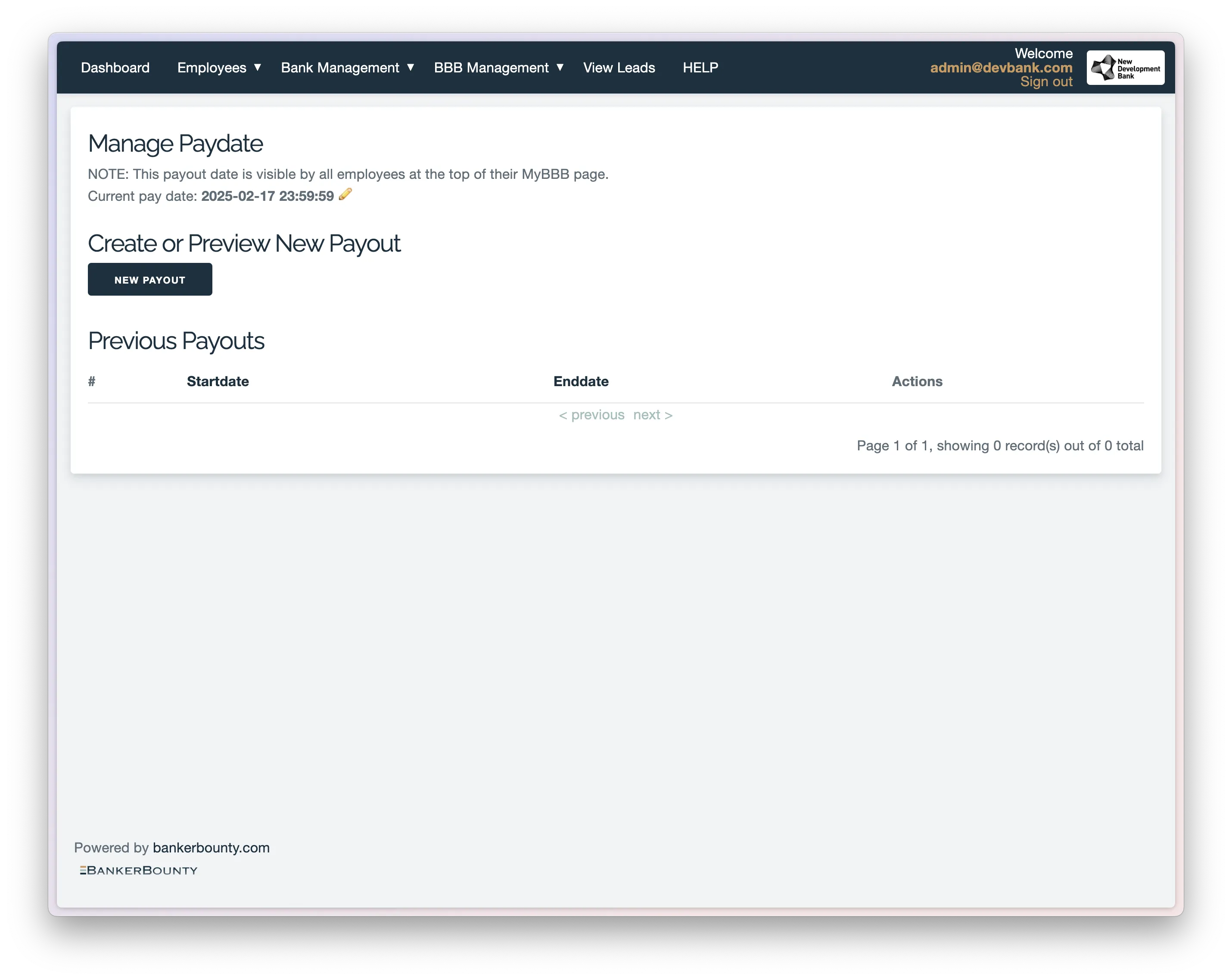
- Ensure the current pay date is set to a date later than the previous pay date.
- Once verified, click on the “New Payout” button. The New Payout page should resemble the second screenshot provided.
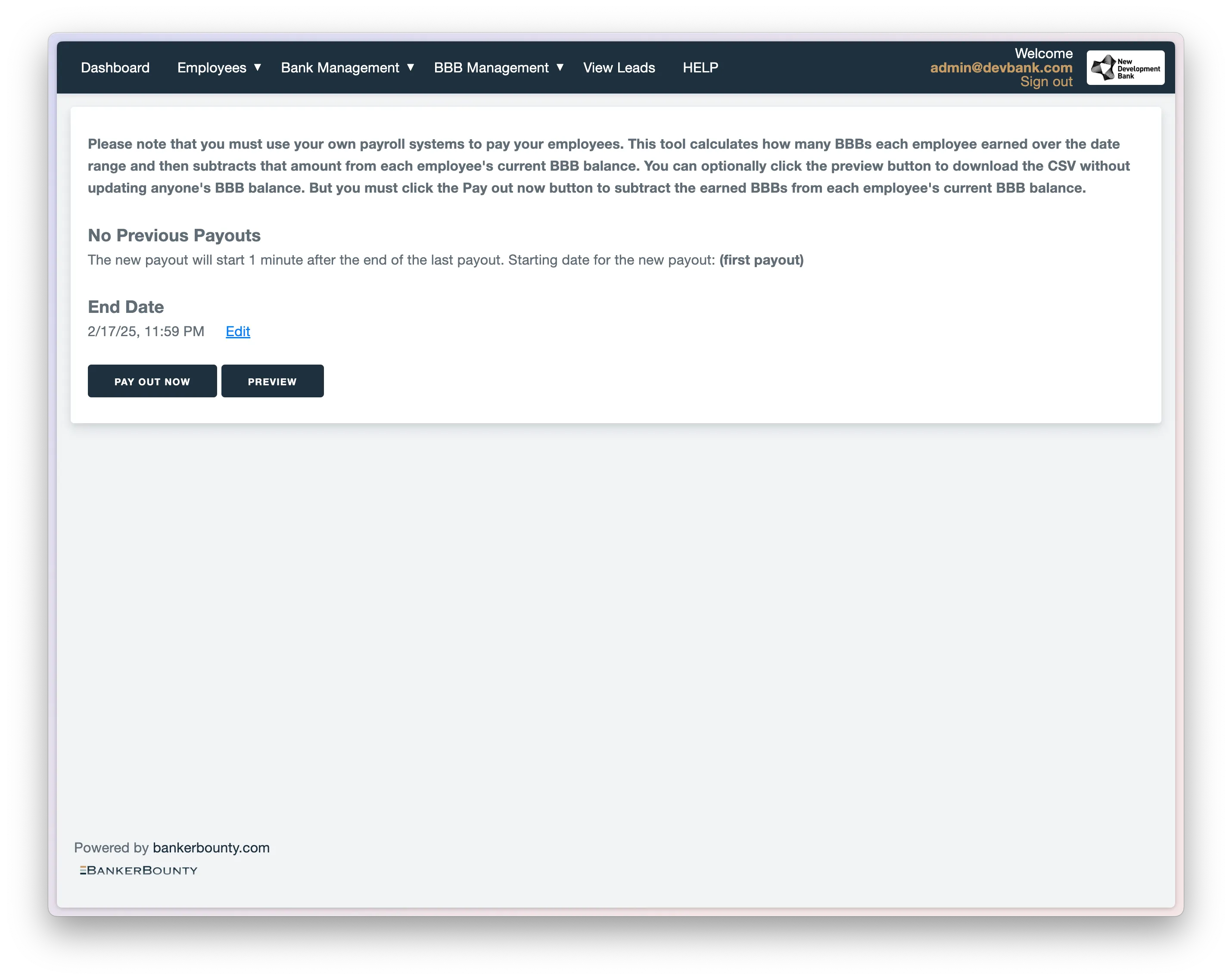
- To view and verify the user’s earnings for the pay period, select the “Preview” button, or download the report from the “Download Reports” page.
- To proceed with the payout, simply click on the “Payout Now” button. Note: The end date is the same as the current pay date. BankerBounty does not handle the actual payment of your employees; this payout feature is for display
Changing payout date
You can change the payout date by selecting the pencil icon next to the current pay date.